
Design automation
Custom tools for parametric rules, templates, and repetitive design steps.
We create specialist tools that reduce repetitive work across design, manufacturing preparation, and technical data management while fitting into the existing engineering ecosystem.
Discuss your engineering needsCAD/CAM projects require more than an interface. Geometry, file formats, computation, performance, and manufacturing constraints must work together. We design tools that support expert decisions and reduce error-prone steps.
Custom tools for parametric rules, templates, and repetitive design steps.
Purpose-built geometry processing, technical file exchange, and validation workflows.
Tools for operation planning, output generation, checking, and preparation of production data.
Data exchange across engineering applications, document structures, production, and enterprise systems.
Example workflow
An example of automating a repeated engineering task by considering inputs, design rules, and production output together.
Dimensions, materials, product options, and source files are defined and checked for missing or invalid inputs.
Parametric relationships and geometry checks are applied, keeping decisions that require an expert user visible.
Technical files and production data are prepared for the target software or machine and validated with representative parts.
Together with domain experts, we define inputs, decision rules, expected outputs, and exceptions. Early prototypes validate the highest technical risks before the workflow is productised.
Explore how parametric design, geometry processing, and CNC output fit into a single product workflow in our CAD/CAM study.
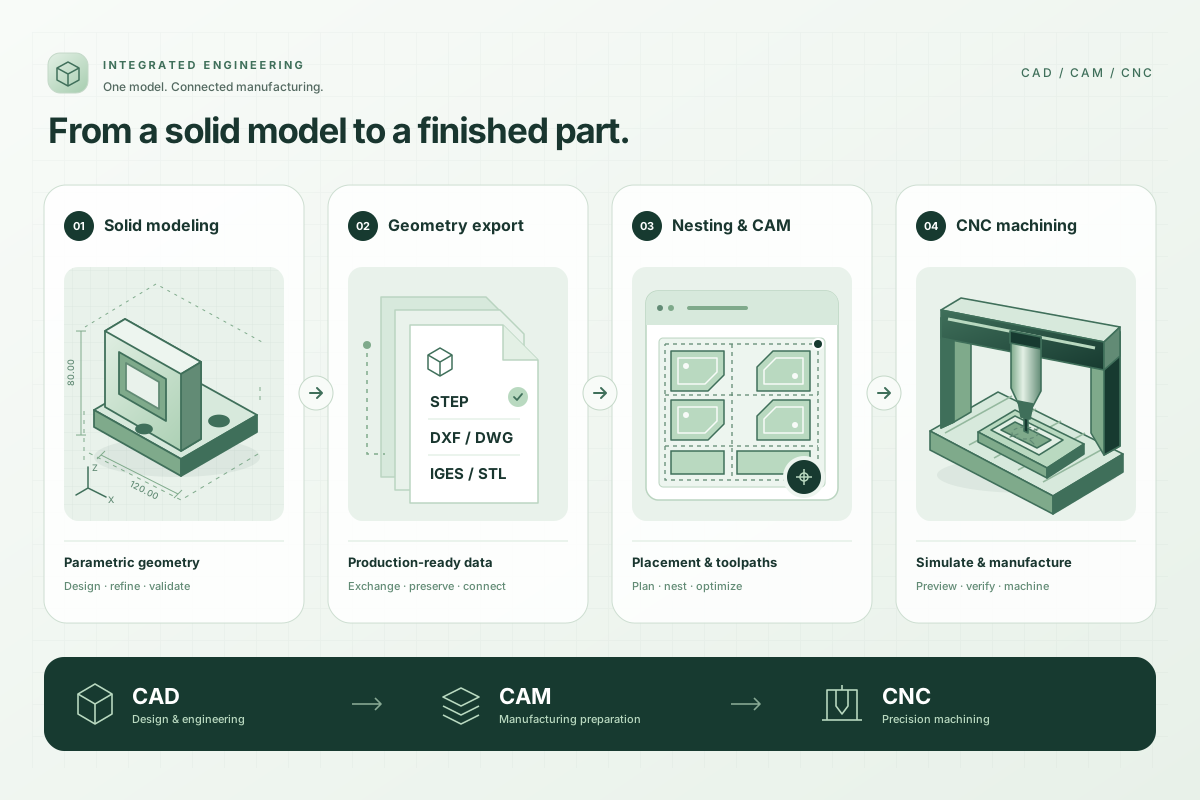
CAD and CAM applications developed end to end by our team and used in real production. A connected workflow from design data to manufacturing preparation and CNC output.
Descriptions are generalized to illustrate our capabilities without identifying organizations or products.
We assess the product's APIs, plugin model, and file-format options to determine the most dependable method. Feasibility is confirmed during technical discovery.
When documentation, licensing, and the technical format permit, we can develop reading, conversion, validation, and output-generation workflows.
We measure data size, computational load, and user scenarios to choose an appropriate desktop, service, or hybrid architecture, testing critical operations early.
Where the product's APIs, extension points, and file exchange options allow it, custom tools can support the existing design process. A full product, extension, or standalone utility is chosen after reviewing licensing constraints, expert-user workflows, and required outputs.
Share your CAD/CAM tools, representative inputs, design rules, and required production output so we can define technical discovery.